Repeat a route
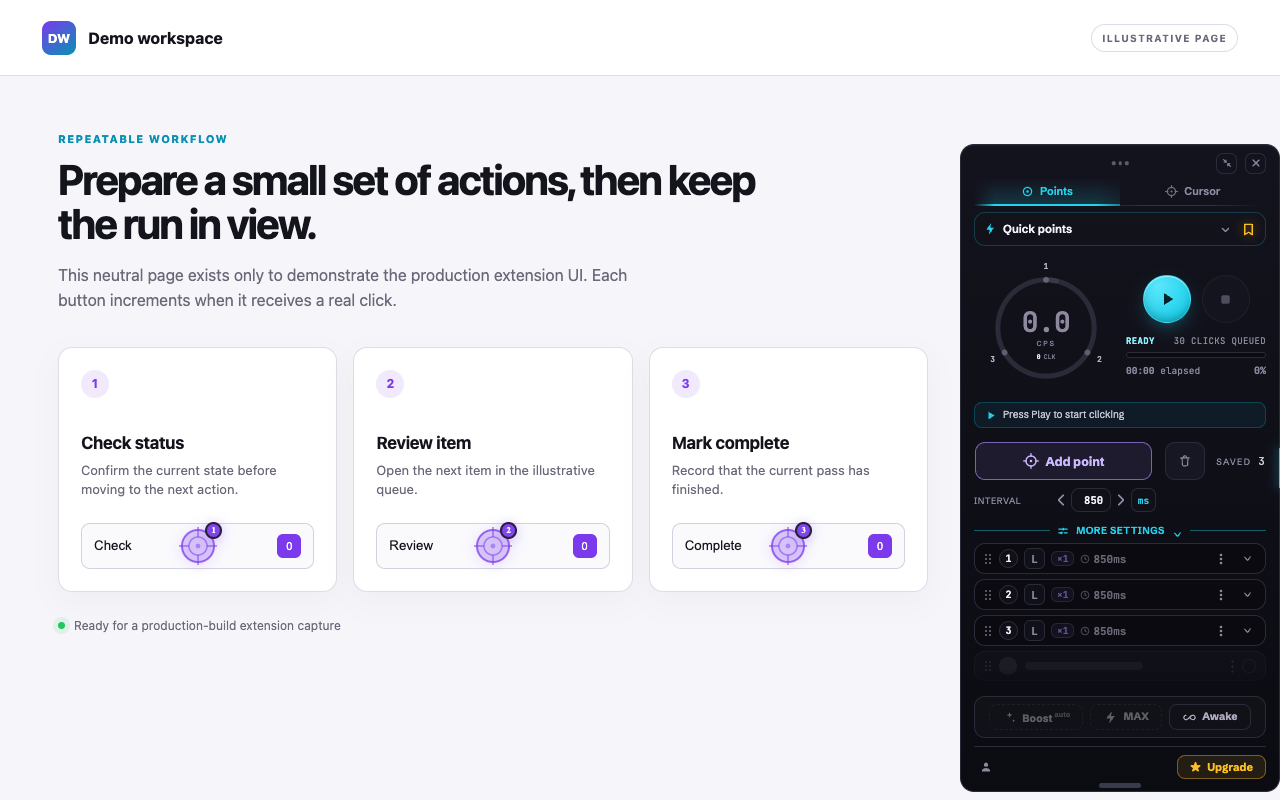
Place numbered points. They run in order and stay with the page as you scroll.
Auto clicker for Chrome
Choose a few points or follow your cursor. Set your rhythm, press Play, and keep the controls right on the page.
What it does
One target, a whole route, or wherever you point next.
Place numbered points. They run in order and stay with the page as you scroll.
For a moving target, switch to Cursor. You aim, the clicker keeps the rhythm.
Set the interval, add variation with Humanize, and pause whenever you need.
Ideas
Anything you would otherwise click again and again in the same place.
Collect, claim, confirm: the same three buttons, in order, without you.
Keep the tapping going at the pace you choose while you do something else.
Press Refresh or Load more on an interval, from once a second to once a minute.
Step through the same screens or form buttons while you test or review them.
Hammer one button at a short interval to see how a page you build copes.
Set a stop rule, like 100 clicks or 10 minutes, and let it finish on its own.
Check each site's own rules before automating it heavily.
Points
Press Add point and click where it should click. Add as many as you need, up to 100 on a page; the clicker visits them one after another, every cycle.
Two modes
Two ways to aim, one tab apart.
Cursor mode
Clicks fire wherever your pointer is. Good for a target that moves, or one you would rather chase by hand.
Switch with the two tabs at the top of the clicker, or press CtrlShiftK
Speed
Each press of the arrow makes the interval shorter. Type an exact value, or step through the common ones. Set the pace the page needs, down to 1 ms.
Real pages have their own limits; the clicker shows the rate you are actually getting.
The interval in the guide →The clicker
A player that stays on your page. Open the full panel for the whole picture.
The comet and live stats show what is happening. Play, Pause and Stop are always close.
Pause keeps your points, cycle count and stats exactly as they are; Resume carries on.
Save a sequence of points and pick it up again from the full panel. Points return after a reload, stopped.
More settings
Open More settings in the full panel and the whole run is yours to shape.
POWER
For when plain clicking isn't enough. Part of Pro, with a free taste of each on every run.
Holds your chosen speed when a heavy page starts to drag.
Boost →Drops the interval entirely and clicks at the page's own ceiling.
MAX →Keeps clicking while the tab is in the background, and stops the machine sleeping.
Awake →All core clicking is free: the full interval range, all 100 points, Cursor mode, Humanize, Hold and the click settings.
Get started
Three moves to your first run. No account needed for core clicking.
Add it from the Chrome Web Store, then open the puzzle menu and pin it so it is always one click away.
Find the clicker at the right edge of the page, press Add point, then click where it should click.
The clicker clicks your points in order at the pace you set. Pause, resume or stop at any moment.
Keyboard
The main actions have default keys. Change any of them in Chrome.
On a Mac, the same keys use Control. Rebind them at chrome://extensions/shortcuts
Questions
Speed Auto Clicker automates clicks in your own browser — nothing leaves your machine to make a click happen. Whether automation is allowed on a given site or game is up to that service's own rules, so check them before heavy use.
Up to 100 per page. Past that the extension refuses politely rather than silently dropping one.
Interval, Humanize, click settings and similar preferences persist across reloads, and so do the points you placed on that tab — they come back stopped, never running. Save a layout as a Sequence to carry it anywhere.
All the core clicking is free, including the full interval range down to 1 ms, all 100 points, Cursor mode, Humanize, Hold and the click settings. POWER — Boost, MAX and Awake — plus higher sequence limits are Pro, with a free taste of each on every single run.
No sign-in is needed for core clicking. Optional Google sign-in creates an account for cross-browser access.
No — the clicker lives on the page, so closing the tab ends the run. Awake covers the other case: a tab that's still open but hidden behind another one.
Free to start
Install Speed Auto Clicker and make your first run in seconds.
Add to Chrome